Finder
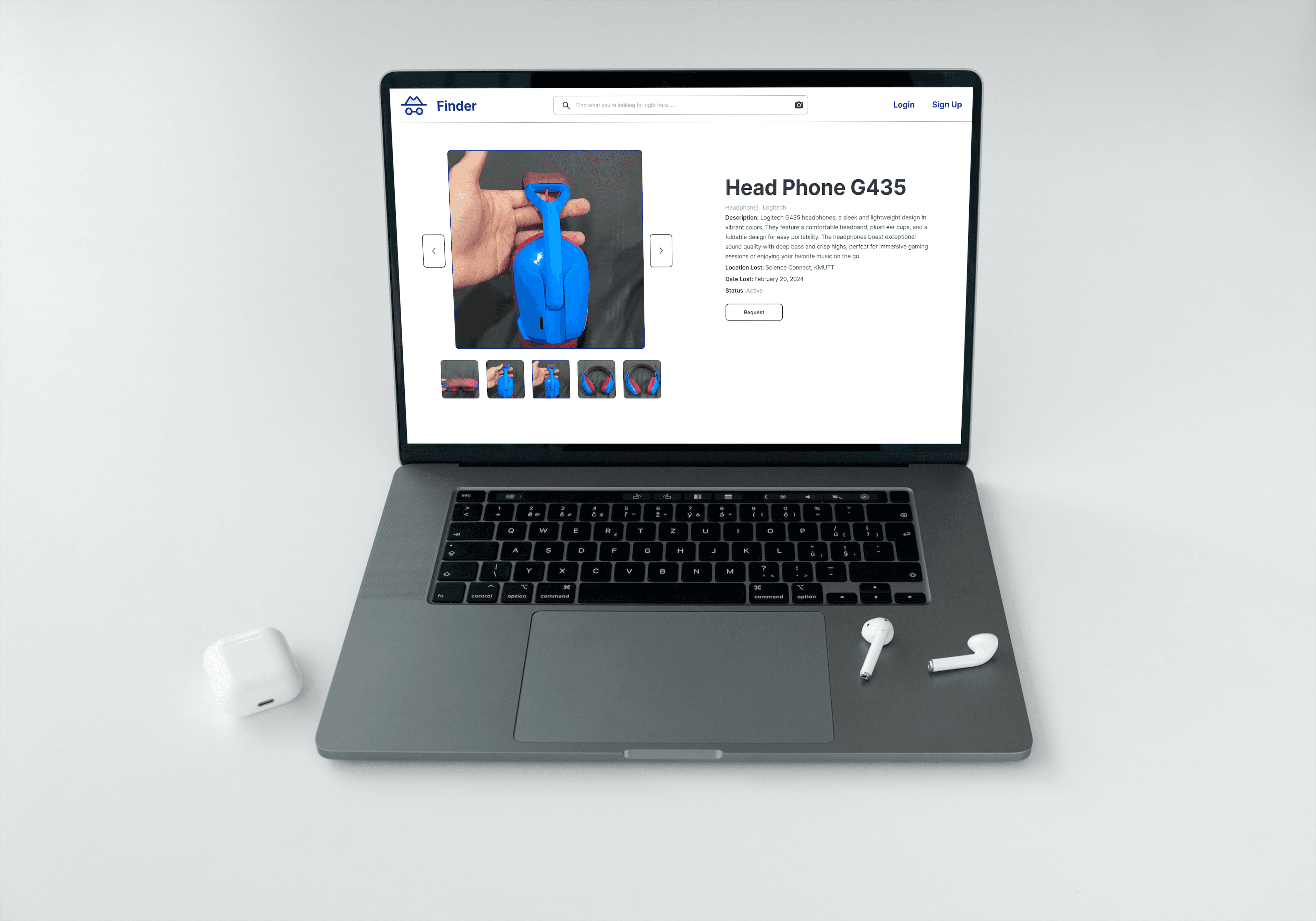
A web application designed to help users find lost items using AI-powered Object Detection (YOLOv5) and smart filtering based on item type, location, and time found.
My Contribution
What I designed and built in this project
UX/UI Designer
Designed high-fidelity mockups and interactive user flows in Figma for both the user interface and the administrator inventory management portal.
Frontend Developer
Developed the search filter views, lost item list, item claim forms, and the admin dashboard layout using Next.js, TypeScript, and Tailwind CSS.
AI Developer
Created the dataset pipeline, labeled object classes, trained the YOLOv5 object detection model, and integrated the image search API.
Project Overview
AI-Powered Lost & Found Management System
Finder is a web-based lost-and-found system developed for the KMUTT campus. It tackles the inefficiency of traditional, fragmented lost-and-found methods by centralizing item registration and incorporating computer vision. Users can search for items by describing them in text or by uploading an image. When an image is uploaded, the YOLOv5 object detection model automatically classifies the object, filtering results instantly and connecting the finder and the owner through a centralized management platform.
Target Users
Groups the system was designed to serve
Students & Staff
KMUTT students, faculty, or visitors who have lost belongings on campus and need to quickly search or request claims.
Administrators
Authorized desk managers or security personnel who register found items, update records, and verify claim details.
Problem & Goals
The problem this project addresses and the outcome it aims to achieve
Problem
When students lose valuable belongings on campus, they face multiple issues: they cannot remember where/when the item went missing, they don't know who to ask, and found items are scattered across fragmented locations (such as cabinets under the Science Laboratory Building SCL, Library, Dormitories, or security guard posts). Often, students resort to checking unofficial social media channels like @mhmf_bangmod on Instagram, resulting in poor record-keeping and low return rates.
Goals
Develop a centralized web application that streamlines lost item registration for staff and simplifies searching for students. Leverage YOLOv5 Object Detection to enable automatic item classification and quick image-based searching, reducing tracing times and raising campus security.
Project Scope & Expected Outcomes
Defining what the system covers and what it aims to achieve
Project Scope
- Covers lost and found activities exclusively within the KMUTT campus.
- Found items must be brought to and registered by authorized staff/administrators to maintain custody and security.
- YOLOv5 object detection model supports 13 common categories of items found on campus.
Expected Outcomes
- Acts as a central liaison between students who lose items and the administrative staff who manage them.
- Improves convenience and speed of finding lost items, while keeping digital, organized records.
Pain Points
The challenges of traditional lost and found systems on campus
Scattered Storage Points
Found items are stored in separate lockers, guard posts, or department rooms across campus, making physical search exhausting.
Lack of Central Registry
There is no shared digital register of found items. Students have to check multiple unofficial channels like Instagram pages or asking around.
Incomplete Item Details
Traditional logbooks only write basic words, lacking photos, coordinates, or tags, making it hard to match and verify owners.
Key Features
Innovative functions built to solve lost & found problems
Text Search
Search for items using natural language, filtering by location (SCL, Library, LX Building) and date range.
AI Image Search
Upload a photo of your lost item. The YOLOv5 model detects the object category and queries matching records.
Auto-Tagging Registration
Admins upload a photo of a found item, and the AI automatically tags the object class (e.g., wallet, bottle), speeding up registration.
Inventory Dashboard
Admin panel to inspect, update status (Found, Claimed, Pending), and manage the full archive of items.
Location Filters
Quickly isolate searches based on specific campus zones like SCL, LX, Library, and Dormitories.
Claim Verification
Security forms where users can submit claim requests to admins with descriptions to prove ownership.
System Comparison
Comparing Finder against traditional campus solutions
| Feature | Finder System | Department Closets | Security Guard Posts | Instagram Pages |
|---|---|---|---|---|
| Centralized Digital Register | ||||
| AI Object Detection Search | ||||
| Bilingual Search & Filters | ||||
| Official Custody & Verification |
YOLOv5 Dataset Breakdown
Distribution of labeled images across 13 classes of campus items (Total 5,602 images)
Model & Evaluation Metrics
Performance metrics of the trained YOLOv5 Object Detection model
81%
Model Accuracy (mAP)
90%
Text Search Success Rate
65%
Image Search Success Rate
Search Bar & AI Performance Testing
System evaluation comparing Text Search and Image Search over 20 test trials
| Testing Criteria | Success Count (out of 20) | Accuracy Rate (%) |
|---|---|---|
Text Search Effectiveness Querying specific item names like 'iPhone 15' or 'keys' in the search bar. | 18 / 20 | 90% |
AI Image Search Effectiveness Uploading raw, uncropped images of items for the YOLOv5 recognition pipeline. | 13 / 20 | 65% |
Figma Design
Explore the interactive Figma design board below.